
One staff record
Staff directory and profiles with departments and designations. When a new staff member joins, create their login with the right role in a few clicks.
Attendance and leave
Staff attendance and leave requests are handled in the system. When a teacher is absent or on approved leave, their periods go to the substitution board with the best free teacher suggested for each, so the class is covered.
When a teacher leaves
Make the staff member inactive and their login is switched off. Their periods stay on the substitution board until you hand them, and the class teacher role, to another teacher in one step, so no class is left without a teacher.
Payroll with payslips
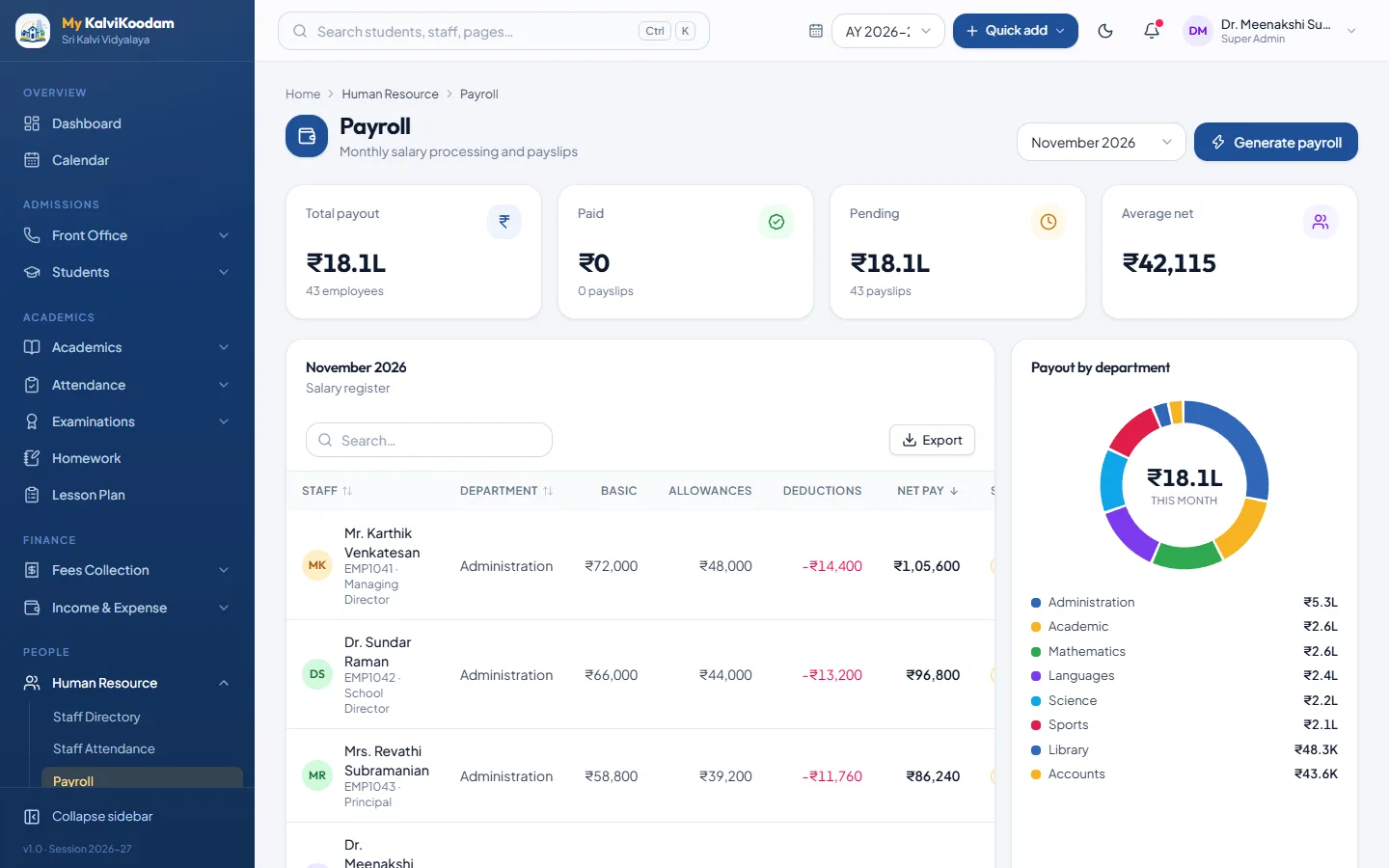
Run payroll monthly and generate payslips. Loss of pay is worked out from absences, half days and unpaid leave, leaving out Sundays, holidays and paid leave. Each staff member shows a clear paid or pending status, and the Managing Director and accountant dashboards surface payroll status without a report.
- Monthly payroll with payslips
- Departments and designations
- Paid and pending status at a glance
Part of the whole
Salaries paid are counted with fees collected, income and expenses in the finance overview, so finance works from one set of books. See also fee management.