
Records and reports
Reports for schools
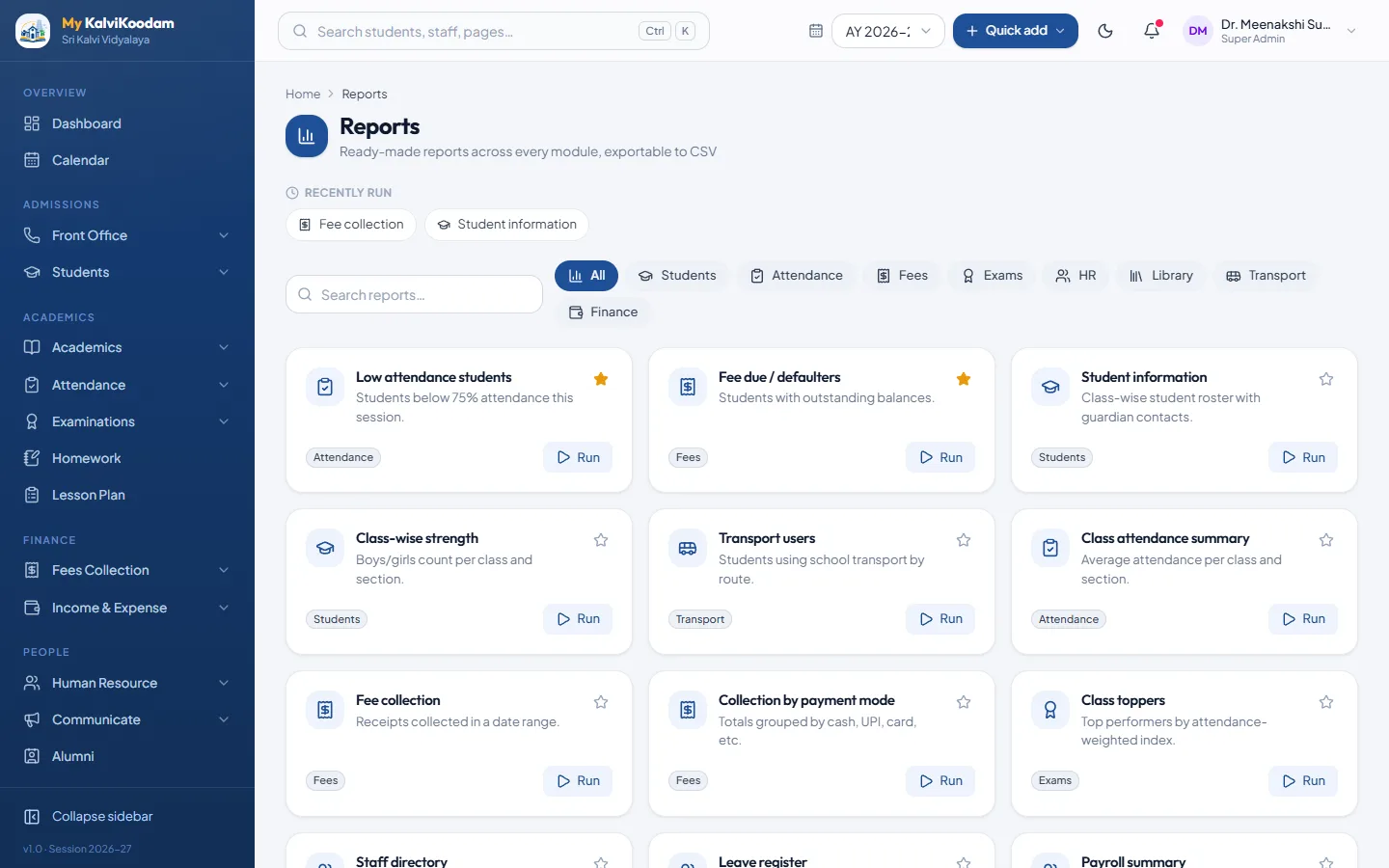
16 ready-made reports across students, fees, attendance, exams and more.
What it does
Reports in everyday use
Gives owners and office staff the reports they ask for most, without building anything. Pick a report, set the class or dates if needed, generate it and export it to CSV to open in Excel. Each person sees only the reports for the screens their role can open.
- Student information roster and Class-wise strength with boys and girls
- Low attendance students (below 75%) and Class attendance summary
- Fee collection, Fee due / defaulters and Collection by payment mode
- Class toppers from the latest published exam
- Staff directory, Leave register and Payroll summary
- Overdue books and Book stock
- Income vs expense for a date range
- Transport users and Route occupancy
- Filter by class, section or dates, then Export CSV
Connected
Works with the rest
- A report appears only when the school has the module behind it
People
Who uses it
Each role sees what it needs, and nothing it should not.
Questions
Common questions about Reports
How much does Reports cost?
Reports is ₹10 per active student per year, before GST. A bigger school pays less per student because of the size discount, and there is a minimum yearly fee per school. Choose it in the price calculator to see the exact amount for your school.
Can we use Reports without the other modules?
Yes. Reports works on its own. Every module can be switched on alone, and you can add more later. The Students directory is always included.
Who uses Reports?
Principal, Accountant, Chairperson, Managing Director, School Director, Vice Principal, Correspondent use it, each seeing what their role needs.
How does Reports work with the rest of the system?
A report appears only when the school has the module behind it.
Can we try Reports before we buy?
Yes. The live demo has every module with a sample school, and we can walk you through Reports on a call with your own numbers.
Keep exploring