
Attendance for schools
Daily student attendance, monthly reports and leave approvals.
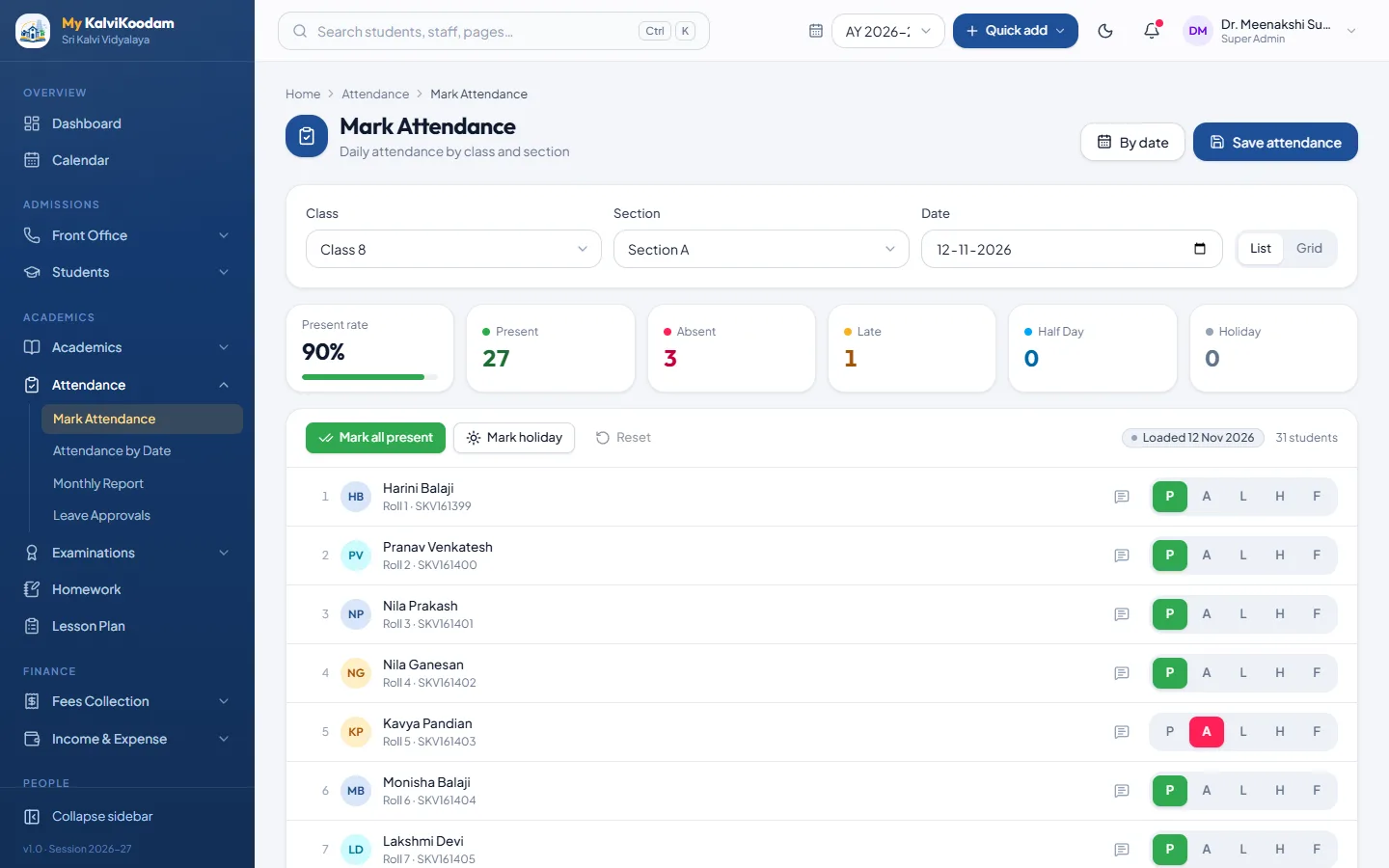
Attendance in everyday use
Class teachers mark attendance for their section each day, and the office sees at a glance who is absent school-wide. Parents apply for leave from the portal and the class teacher approves or rejects it, so the register and the leave record always agree.
- Mark Attendance by class and section: Present, Absent, Late, Half Day or Holiday
- Mark all present, then change only the exceptions, with a note per student
- Attendance by Date: one row per section with absentee names and parent numbers
- Monthly Report per section with percentages and students below 75%
- Export the monthly report to CSV
- Leave Approvals for requests sent from the parent and student portal
- Medical certificate or letter can be attached to a leave request
- Holiday banner from the school calendar and an On leave mark on approved days
- Parents see attendance in the portal and are notified when a child is marked absent
Works with the rest
- Communicate: absence and repeated-absence alerts go to parents by SMS, e-mail or WhatsApp
- Examinations: attendance shows on the report card
- Reports: Low attendance students and Class attendance summary
- Needs Academics, which is added with it.
Who uses it
Each role sees what it needs, and nothing it should not.
Common questions about Attendance
How much does Attendance cost?
Can we use Attendance without the other modules?
Who uses Attendance?
How does Attendance work with the rest of the system?
Can we try Attendance before we buy?
More in Academics
Academics
Classes, sections, subjects, timetables and substitute teachers.
See the moduleExaminations
Exam schedules, marks entry, results, marksheets, report cards and admit cards.
See the moduleHomework
Set homework by class and subject and track who has handed it in.
See the moduleLesson Plan
Plan lessons by class and subject and track syllabus coverage.
See the moduleStudent Conduct
Discipline concerns, recognition and confidential counselling notes per student.
See the moduleLMS
Online courses with lessons, auto-marked quizzes, graded assignments and live video classes.
See the module