For the teacher

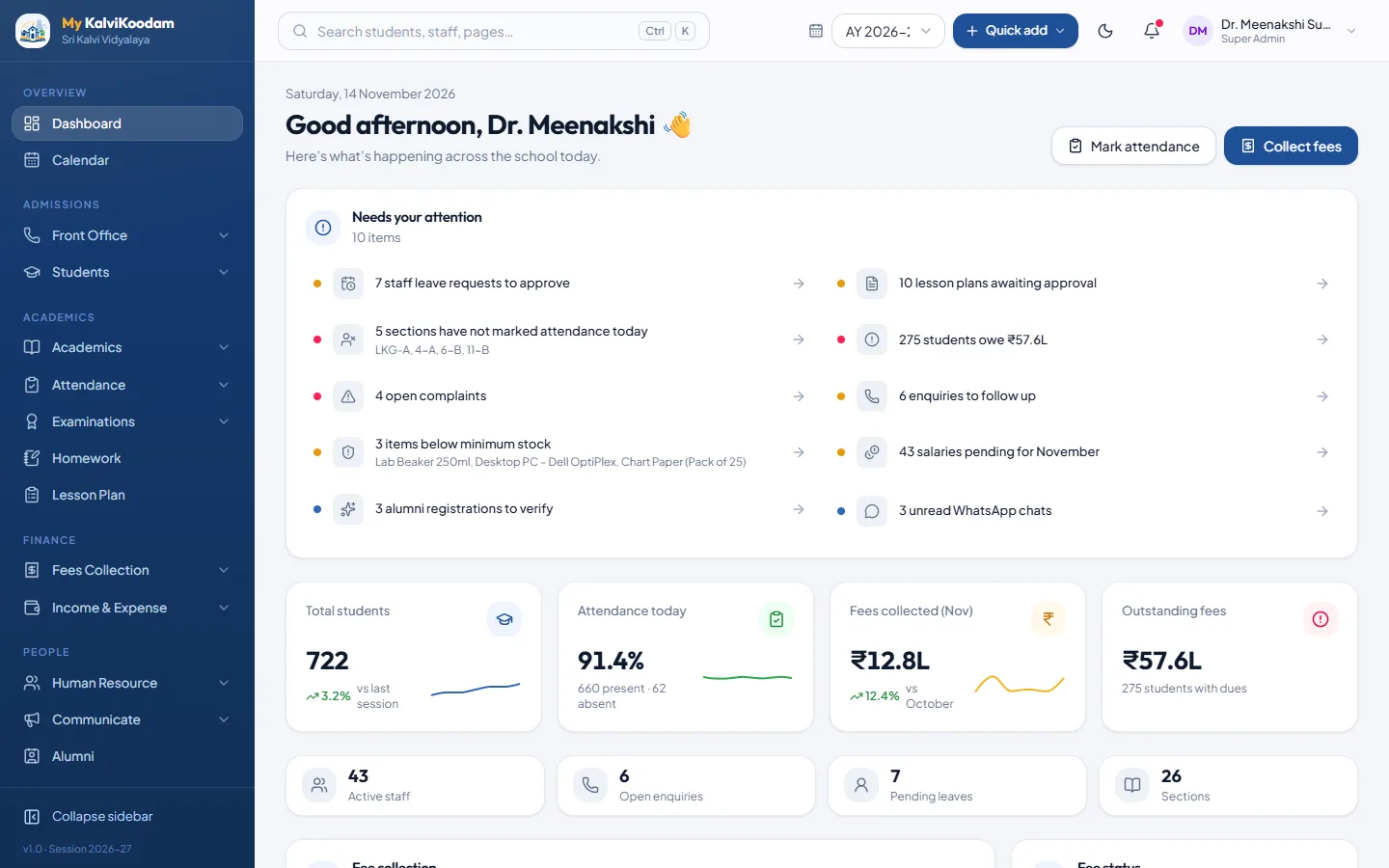
The teacher's own dashboard

My day: periods, lesson plans, homework and my class.

Teacher home
The teacher dashboard
Their tools

What the teacher does in My KalviKoodam

The modules this role works in, and a few of the everyday things it does there.

Students

Admissions, student records, promotion and bulk import in one directory.
  • Student Directory with search, class and section filters, in table or card view
  • New Admission form: student, parents, class, house, transport and hostel
  • Full student profile with fees, attendance, exam results, documents and timeline
All of Students

Student Health

Health profiles, checkups and sick-room visits, with alerts staff can act on.
  • Health profile: blood group, allergies, conditions, medicines and vaccinations
  • Know before you act box for severe allergies, conditions and medicines at school
  • Emergency contact, family doctor, hospital, diet notes and treatment consent
All of Student Health

Academics

Classes, sections, subjects, timetables and substitute teachers.
  • Classes & Sections with class teachers and the subjects each class studies
  • Subjects master with a code and a type for every subject
  • Class Timetable by day and period, printable on A4 landscape
All of Academics

Attendance

Daily student attendance, monthly reports and leave approvals.
  • Mark Attendance by class and section: Present, Absent, Late, Half Day or Holiday
  • Mark all present, then change only the exceptions, with a note per student
  • Attendance by Date: one row per section with absentee names and parent numbers
All of Attendance

Examinations

Exam schedules, marks entry, results, marksheets, report cards and admit cards.
  • Exam Groups (General Purpose, Grade System, Average Passing) with exams inside
  • Exam Schedule per class: date, time, room, maximum and pass marks
  • Marks Entry by class, section and subject, with absent marking and CSV import
All of Examinations

Homework

Set homework by class and subject and track who has handed it in.
  • Assign homework with class, section, subject, title, instructions and due date
  • Attach worksheets or notes to a homework
  • Mark each student as submitted, with marks and a remark
All of Homework

Lesson Plan

Plan lessons by class and subject and track syllabus coverage.
  • Weekly board and All lessons list by day, period, class and subject
  • Plan with chapter and topics, objectives, methods, activities, resources and assessment
  • Homework and a reflection recorded on each plan once it is taught
All of Lesson Plan

Student Conduct

Discipline concerns, recognition and confidential counselling notes per student.
  • Three kinds of record: Concern, Recognition and Counselling
  • Concerns carry severity (Low, Medium, High), action taken, follow-up date and resolution
  • Merit and demerit points on each record, totalled for the student
All of Student Conduct

LMS

Online courses with lessons, auto-marked quizzes, graded assignments and live video classes.
  • Courses for a class and subject, kept as Draft until you publish them
  • Chapters with reading, video or web-link lessons (YouTube and Vimeo play inside)
  • Quizzes with single-answer, multiple-answer and true or false questions
All of LMS

Communicate

Notices, SMS, e-mail, WhatsApp, parent chat and automatic messages.
  • Notice Board with categories, pinning, expiry, scheduled publishing and class targeting
  • Printable circular, and an optional SMS or e-mail copy when a notice is published
  • Send Email / SMS to a class, a group or individuals, one message per household
All of Communicate

Library

Book catalogue, member cards, issue and return, and overdue fines.
  • Book Catalogue with title, author, ISBN, category, publisher, rack and price
  • Copies owned and copies available tracked automatically as books go out and return
  • Members: students and staff enrolled with library card numbers
All of Library
Questions

Common questions about the teacher view

What does the Teacher see after signing in?
My day: periods, lesson plans, homework and my class.
Which modules does a Teacher use?
Students, Student Health, Academics, Attendance, Examinations, Homework, Lesson Plan, Student Conduct, LMS, Communicate, Library. Each user only sees the screens their role allows.
Can the Teacher see everything in the school?
No. Roles have their own permissions, and a role only sees the modules the school has switched on. The school decides who gets which role.

Ready to see it with your own school's numbers?

Tell us about your school. We will set up a walkthrough and answer every question.