
LMS for schools
Online courses with lessons, auto-marked quizzes, graded assignments and live video classes.
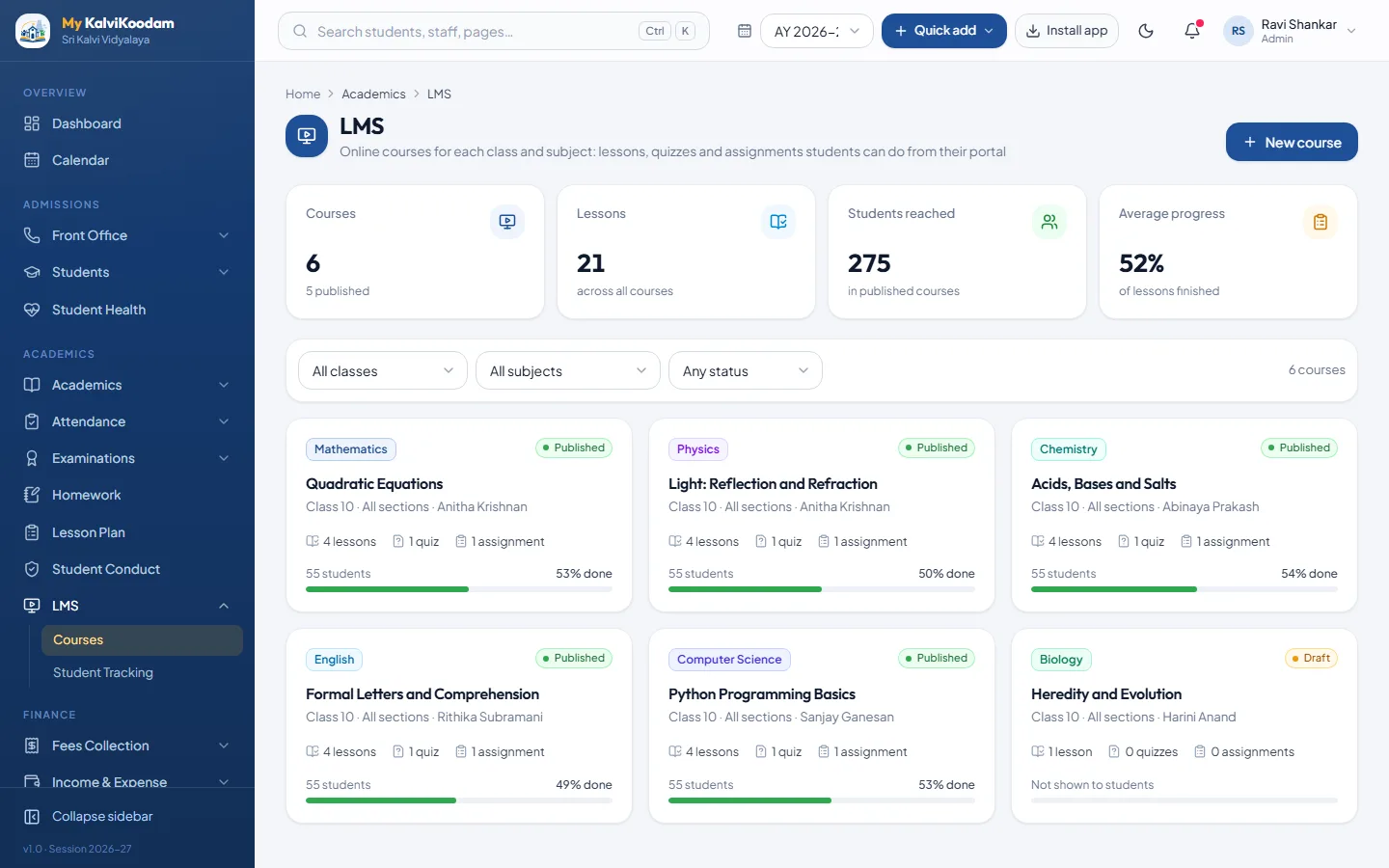
LMS in everyday use
Teachers build a course for their class and subject, with chapters of lessons, quizzes and assignments. Students learn from the portal at their own pace, quizzes are marked by the system, and teachers grade the assignments. The school can see who has learned what and who is behind.
- Courses for a class and subject, kept as Draft until you publish them
- Chapters with reading, video or web-link lessons (YouTube and Vimeo play inside)
- Quizzes with single-answer, multiple-answer and true or false questions
- Quizzes are marked automatically, with right answers and explanations shown
- Assignments with instructions, due date and maximum marks, graded with feedback
- Students mark lessons done, take quizzes and hand in work from the portal
- Learners tab with progress, best quiz scores and submissions for each course
- Student Tracking: lessons learned, quizzes and assignments pending, and overdue work
- Parents follow their child's courses and pending work, read only
- Live classes in a built-in Jitsi video room or on a pasted Meet, Zoom or Teams link, with join attendance
Who uses it
Each role sees what it needs, and nothing it should not.
Common questions about LMS
How much does LMS cost?
Can we use LMS without the other modules?
Who uses LMS?
Can we try LMS before we buy?
More in Academics
Academics
Classes, sections, subjects, timetables and substitute teachers.
See the moduleAttendance
Daily student attendance, monthly reports and leave approvals.
See the moduleExaminations
Exam schedules, marks entry, results, marksheets, report cards and admit cards.
See the moduleHomework
Set homework by class and subject and track who has handed it in.
See the moduleLesson Plan
Plan lessons by class and subject and track syllabus coverage.
See the moduleStudent Conduct
Discipline concerns, recognition and confidential counselling notes per student.
See the module