
People and communication
Communicate for schools
Notices, SMS, e-mail, WhatsApp, parent chat and automatic messages.
What it does
Communicate in everyday use
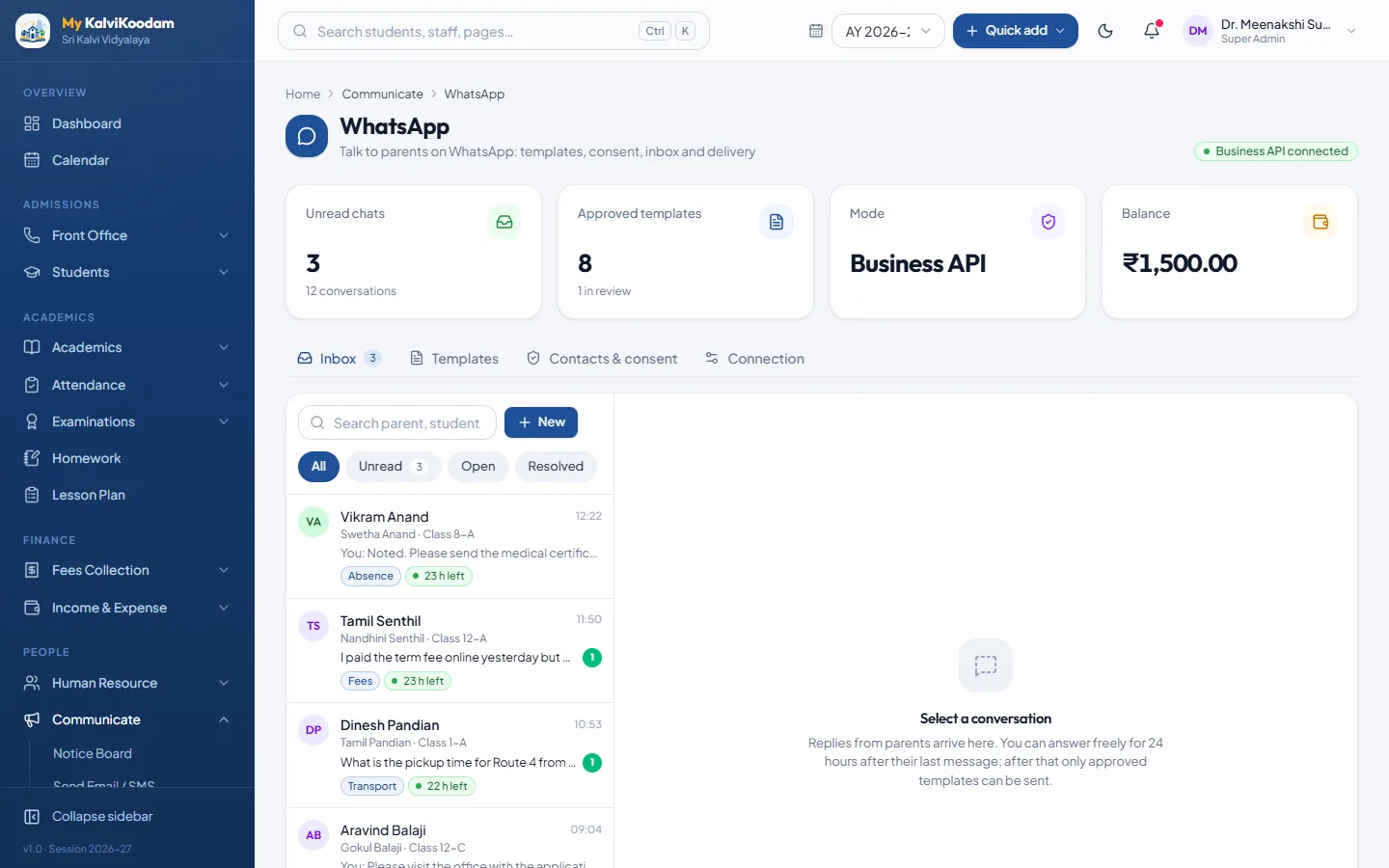
One place for everything the school says to parents, students and staff. Notices go on the board, messages go out by SMS, e-mail or WhatsApp through the school's own provider, mailbox and WhatsApp account, and parents can chat with teachers and book meetings. Routine messages such as fee reminders and absence alerts can run on their own.
- Notice Board with categories, pinning, expiry, scheduled publishing and class targeting
- Printable circular, and an optional SMS or e-mail copy when a notice is published
- Send Email / SMS to a class, a group or individuals, one message per household
- Smart lists: fee defaulters, absent today, birthdays today, hostel and transport users
- Templates with merge tags and DLT template ids for Indian SMS
- WhatsApp by click-to-chat with no setup, or through your own WhatsApp Business account
- WhatsApp inbox for parents' replies, with labels, assignment and quick replies
- Parent Connect: parent-teacher chat and meeting slots that parents can book
- Automatic Messages: fee reminders, absence alerts, birthdays, results, receipts, homework
- Message Logs with status per recipient, retry of failures and scheduled sends
Connected
Works with the rest
- Fees: fee reminders and receipt messages go to parents
- Attendance: absence and repeated-absence alerts go to parents
- Examinations: parents can be told when results are published
- Homework: parents can be told when homework is given
People
Who uses it
Each role sees what it needs, and nothing it should not.
Questions
Common questions about Communicate
How much does Communicate cost?
Communicate is ₹25 per active student per year, before GST. A bigger school pays less per student because of the size discount, and there is a minimum yearly fee per school. Choose it in the price calculator to see the exact amount for your school.
Can we use Communicate without the other modules?
Yes. Communicate works on its own. Every module can be switched on alone, and you can add more later. The Students directory is always included.
Who uses Communicate?
Principal, Vice Principal, Receptionist, Teacher, Managing Director, Parent, Student use it, each seeing what their role needs.
How does Communicate work with the rest of the system?
Fees: fee reminders and receipt messages go to parents. Attendance: absence and repeated-absence alerts go to parents. Examinations: parents can be told when results are published. Homework: parents can be told when homework is given.
Can we try Communicate before we buy?
Yes. The live demo has every module with a sample school, and we can walk you through Communicate on a call with your own numbers.