For the managing director

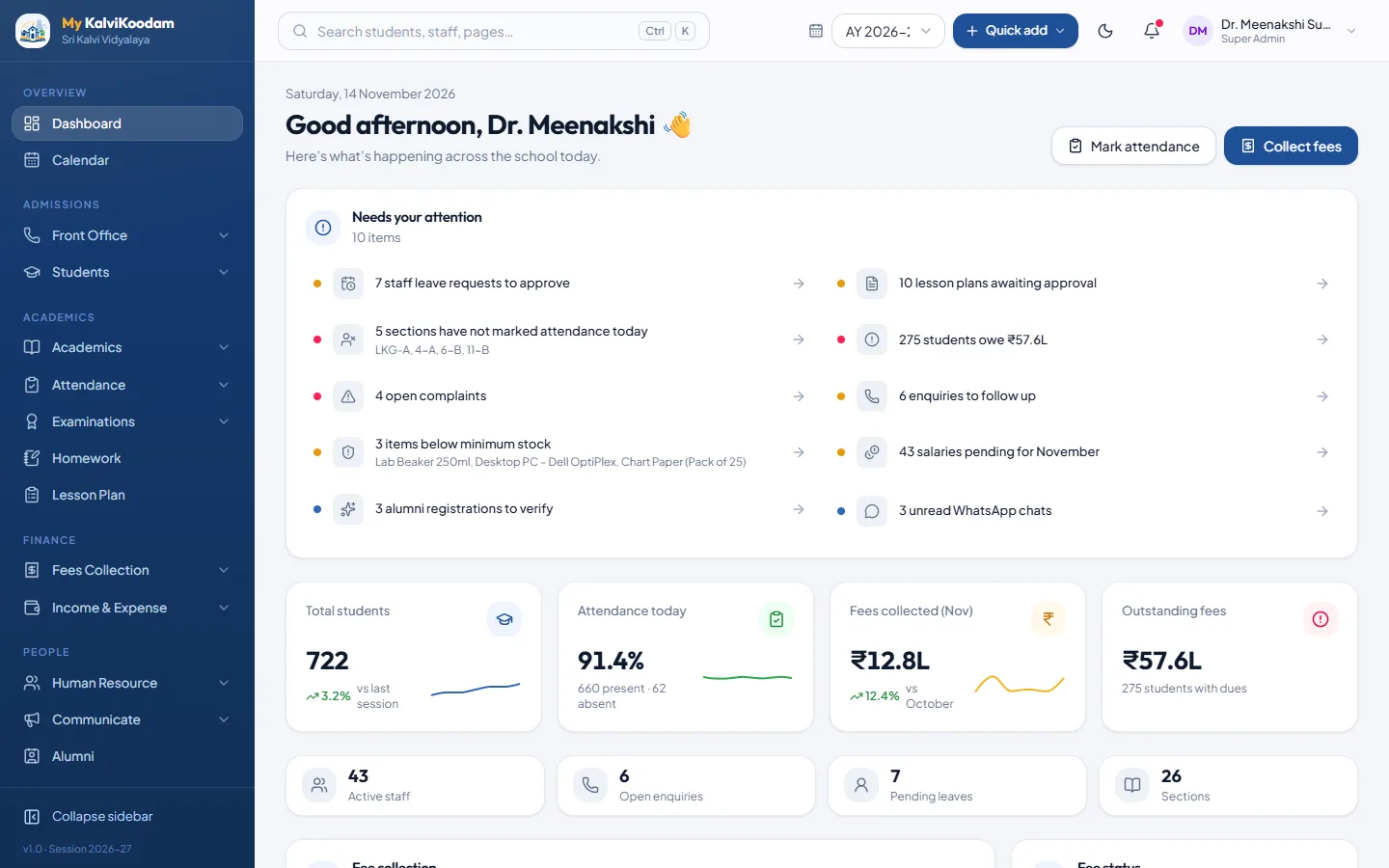
The managing director's own dashboard

Fees and salaries beside income and expenses, facilities and stock.

Managing Director home
The managing director dashboard
Their tools

What the managing director does in My KalviKoodam

The modules this role works in, and a few of the everyday things it does there.

Front Office

Enquiries, online applications, visitors, calls, post and complaints at the front desk.
  • Admission Enquiry register with source, status, assigned staff and follow-up date
  • Follow-up log on every enquiry, with the next follow-up date
  • Online Applications: a public apply form parents fill in without any login
All of Front Office

Fees Collection

Fee structure, counter collection, receipts, dues, discounts and reminders.
  • Fee Types and Fee Master: fee groups per class with due dates and late fines
  • Copy last year's fee structure into the new academic year
  • Collect Fees at the counter: several fees at once, discount, fine, one receipt
All of Fees Collection

Income & Expense

Record school income and expenses and see the month-by-month picture.
  • Finance Overview: income, spending and net this month, with a six-month chart
  • Fees collected and salaries paid are counted in the overview automatically
  • Income entries with head, invoice number, date, amount and description
All of Income & Expense

Human Resource

Staff records, attendance, leave and monthly payroll with payslips.
  • Staff Directory with department, designation, qualification, subjects taught and photo
  • Staff documents stored on each profile
  • Departments & Designations masters
All of Human Resource

Communicate

Notices, SMS, e-mail, WhatsApp, parent chat and automatic messages.
  • Notice Board with categories, pinning, expiry, scheduled publishing and class targeting
  • Printable circular, and an optional SMS or e-mail copy when a notice is published
  • Send Email / SMS to a class, a group or individuals, one message per household
All of Communicate

Alumni

Keep in touch with former students: directory, events, giving and mentors.
  • Alumni Directory with batch, city, industry and career filters, and CSV export
  • Public registration page where former students add themselves, verified by staff
  • Contact consent respected: details are hidden for people who did not agree
All of Alumni

Transport

Routes, vehicles, which student rides which bus, and live bus tracking from the driver phone.
  • Routes with ordered stops, a monthly fare and an assigned vehicle
  • Vehicles with driver, driver phone, capacity and Active or Maintenance status
  • Maintenance log: Service, Repair, Tyre change, FC renewal and Insurance, with cost
All of Transport

Inventory

School stores: items, stock levels, issues to staff and students, and suppliers.
  • Items & Stock with category, store, supplier, unit, unit price and minimum stock
  • Add stock when goods arrive, with the supplier and invoice number logged
  • Items below their minimum stock are flagged as low
All of Inventory

Hostel

Hostels, rooms, bed allocation, the mess menu and meals, and monthly billing.
  • Hostels for Boys or Girls with warden, address and intake
  • Rooms of type Single, Double, Triple or Dormitory, with beds and cost per bed
  • Allocate a student to a bed (only a hostel of the same gender), and vacate it later
All of Hostel

Reports

16 ready-made reports across students, fees, attendance, exams and more.
  • Student information roster and Class-wise strength with boys and girls
  • Low attendance students (below 75%) and Class attendance summary
  • Fee collection, Fee due / defaulters and Collection by payment mode
All of Reports
Questions

Common questions about the managing director view

What does the Managing Director see after signing in?
Fees and salaries beside income and expenses, facilities and stock.
Which modules does a Managing Director use?
Front Office, Fees Collection, Income & Expense, Human Resource, Communicate, Alumni, Transport, Inventory, Hostel, Reports. Each user only sees the screens their role allows.
Can the Managing Director see everything in the school?
No. Roles have their own permissions, and a role only sees the modules the school has switched on. The school decides who gets which role.

Ready to see it with your own school's numbers?

Tell us about your school. We will set up a walkthrough and answer every question.